
Text to SQL Chart
A plain-English question types into an analytics app, SQL writes itself token by token, five rows drop into a result table and a bar chart grows from them, then hovering the top bar lights its table row and line of SQL.
Written and rendered by AI CSS Animations Oct 19, 2026
- Type
- prompt
- Made with
- Claude Opus 5.5 in Claude Code
- Built in
- HTML/CSS
- Topics
- SaaS promo · Product UI · Code · Charts
About this style
Natural-language querying, where a person types a question and the tool writes the database query for them, moved from research demos into mainstream analytics products once large language models could write dependable SQL. Promos for these features follow a fixed arc the viewer can check step by step: the question, the generated query, the raw rows and the chart. Showing the SQL matters, because analysts trust a number only when they can read how it was computed, and showing the table between the query and the chart proves the figures are real. The best demos use a question a manager would actually ask and keep the query short enough to read at a glance.
The prompt
Make a 10-second AI analytics demo: a plain-English question types into an analytics app, SQL writes itself token by token, five rows drop into a result table and a bar chart grows from them with a one-line insight, then hovering the top bar lights its row and the line of SQL that produced it.

<inputs>
If I don't give you something, use the default and don't ask.
- Product: Plumbline (fictional), an analytics app. Wordmark "Plumbline" beside an original mark: a short vertical line ending in an inverted teardrop (a plumb bob), 22px tall.
- Workspace: "Bica & Co." (a fictional coffee subscription company), database "orders_db", user initials "RM".
- Question: "Which 5 cities had the most repeat orders last quarter?"
- SQL, exactly:
  -- last quarter = Jul 1 to Sep 30, 2026
  SELECT c.city,
         COUNT(*) AS repeat_orders
  FROM orders AS o
  JOIN customers AS c ON c.id = o.customer_id
  WHERE o.is_repeat
    AND o.created_at >= DATE '2026-07-01'
    AND o.created_at <  DATE '2026-10-01'
  GROUP BY c.city
  ORDER BY repeat_orders DESC
  LIMIT 5;
- Results (city · repeat_orders): Lisbon 4,812; Porto 3,927; Madrid 3,410; Valencia 2,968; Seville 2,511 (17,628 in all).
- Run status: "Ran in 0.42 s · 5 rows".
- Chart title: "Repeat orders by city, Q3 2026".
- Insight: "Lisbon leads with 4,812 repeat orders, 23% more than Porto."
- Hover tooltip: "Lisbon · 4,812 · 27.3% of the top 5".
- Save: the button "Save to dashboard" and the toast "Saved to Weekly review".
- Length: 10 seconds.
</inputs>

<direction>
- Look: a crisp, light analytics workspace built like a precise instrument: cool paper, white panels, cobalt for structure and one marigold highlight for the answer. The pace is brisk and confident, each stage handing off to the next with no dead air, so the viewer sees one continuous line from question to chart.
- Palette: background #EDF1F6; the window #FFFFFF with a 1px #DCE2EA border, radius 18 and a 0 30px 80px rgba(20,35,60,0.10) shadow; inner cards #FFFFFF with 1px #E3E8EF borders, radius 14, headers on #F7F9FC; ink #141B26; muted #677386; faint #A3ADBB; cobalt #2F55D4 with its tint #E6ECFC; light bars #A9BAEE; marigold #F2A93B with its tint #FFF3DF, used only for the highlighted answer. SQL: keywords #2F55D4, functions and numbers #0E7C74, strings and dates #B5532B, comments #8C96A6 in italic, identifiers and operators ink.
- Type: Onest 600 for the wordmark (22px) and card titles (18px); Onest 500 for the question (28px), table cities (19px) and chart labels (17px); Onest 400 17px for the insight; Fira Code 400 19px on a 32px line for SQL; Fira Code 500 for table numbers (19px), chart values (16px), headers and the run status (15px), with tabular figures.
- Layout:
  - Window x 120–1800, y 70–1010.
  - Title bar y 70–128 over a 1px rule: the wordmark at x 156; "Bica & Co. / orders_db" at x 330 in Onest 500 16px (the first part muted); at the right a 32px cobalt avatar circle with "RM" in white and a "Share" ghost button.
  - Ask bar x 156–1764, y 156–236, radius 16, a 1.5px #D5DCE6 border (cobalt with a 4px #E6ECFC ring once focused): an "Ask" chip (cobalt Onest 600 14px on the tint) at x 180; the placeholder "Ask a question about your data" in faint, replaced by the typed question at x 250, baseline y 206; an "Enter ↵" keycap at the right (Fira Code 14px muted in a 1px bordered key).
  - SQL card x 156–900, y 268–974: header y 268–316 with "Generated SQL" and a "read-only" chip; code from x 188, first baseline y 360, 11 lines (the last at y 680); a footer y 922–974 with the run status at the left and a cobalt "Run" button at the right.
  - Table card x 940–1764, y 268–592: header y 268–316 with "Result" and "5 rows" at the right; a column header row y 316–352 with "city" and "repeat_orders" (the number column right-aligned at x 1732); five 44px rows from y 352 to 572, cities at x 972.
  - Chart card x 940–1764, y 612–974: header y 612–660 with the chart title and a "Save to dashboard" ghost button at x 1560–1744; five bars 26px thick on a 46px pitch from y 684; city labels at x 972; bars from x 1100 at 0.108px per order (Lisbon 520px, Porto 424, Madrid 368, Valencia 321, Seville 271), radius 6 on their right ends; each value 12px past its bar's end; the insight at x 972, baseline y 950.
  - The cursor: a black arrow with a 1.5px white outline, 26px tall.
- Typing: the question types at 40 characters per second with seeded ±12 ms jitter per character; the 2px cobalt caret stays solid while typing and blinks at 1 Hz only while it waits.
- Generating: a 2px cobalt hairline runs along the ask bar's bottom edge (0.3 s); the SQL card shows three faint skeleton lines with one soft highlight sweeping across them (0.3 s); then the SQL streams token by token at 50 tokens per second behind a 2px cobalt caret, each token colored as it lands, never recolored.
- Rows: each table row drops 8px and fades in over 0.25 s, 80 ms apart; numbers arrive already formatted.
- Bars: each grows from zero width over 0.6 s (easeOutCubic), 70 ms apart, its value counting up with it. Lisbon's bar is cobalt and the others light cobalt.
- Linked hover: with the cursor over Lisbon's bar, the bar turns marigold, a dark tooltip (#141B26, white Onest 500 14px, radius 8, a 6px pointer) appears above its end, the Lisbon row fills with the marigold tint and gains a 3px marigold left edge, and SQL line 3 (COUNT(*) AS repeat_orders) takes the same tint; all of it in 0.2 s.
- Premium: a question a manager would ask, SQL a reviewer would approve, numbers that agree across table, chart, tooltip and insight, one highlight color, brisk handoffs. Cheap: sparkles and magic wands, purple AI gradients, a chatbot avatar, a 3D pie chart, bouncing bars, made-up numbers that don't add up.
- Banned: real company names, logos and UI copied from existing products, including real database products; sparkle or magic-wand AI icons; gradients; lorem ipsum; anything flashing more than 3 times per second.
</direction>

<structure>
- 0.0–0.5s: the background, then the window rises 30px and fades in (easeOutQuart 0.5 s).
- 0.5–0.7s: the ask bar takes focus (cobalt border and ring, 0.2 s) and the placeholder fades.
- 0.7–2.1s: the question types (55 characters, done at about 2.08 s).
- 2.2s: the Enter keycap presses (darkens and drops 1px for 0.12 s) and the hairline runs.
- 2.3–2.6s: skeleton lines in the SQL card.
- 2.6–3.95s: the SQL streams in (about 68 tokens: each keyword, identifier, punctuation mark and comment word counts as one).
- 4.0–4.25s: the footer reads "Running…", then "Ran in 0.42 s · 5 rows" at 4.25 s.
- 4.2–4.7s: the table header and rows drop in.
- 4.7–5.5s: the bars grow, Lisbon first.
- 5.4–5.9s: the insight fades in word by word, 30 ms apart, and "23% more" gets a 2px marigold underline drawn left to right.
- 6.0s: the poster: the question in the ask bar, the full SQL with its run status, the table, and the chart with its values and insight, all at rest.
- 6.3–7.4s: the cursor glides in from the lower right and reaches Lisbon's bar at 6.8 s; the linked hover lights the bar, tooltip, row and SQL line.
- 7.6–8.4s: the cursor moves to "Save to dashboard"; leaving the bar fades the hover highlights; it clicks at 8.0 s (a cobalt ring expands once, 0 → 28px over 0.3 s), and a toast (#141B26, white Onest 500 16px with a 2px-stroke check, radius 10) rises 12px into place centered on x 960 at y 1020–1064.
- 8.4–10.0s: hold.
For other lengths, stretch the pauses between stages slightly; keep the typing and streaming speeds and at least 1 s of hold.
</structure>

<build>
- One self-contained index.html (inline CSS and JS), a 1920×1080 (16:9) stage scaled to fit the window, designed for 60fps. No image, video, texture or model files: icons, the cursor and the bars are drawn in code.
- window.seek(t), t in seconds, computes every visual from t alone: no CSS transitions or CSS animations, no setTimeout/setInterval, no state carried between frames, randomness only from a seeded PRNG (the typing jitter). The question and SQL are sliced from their full strings by t; the SQL is pre-split into tokens with their colors once at load. Past the end, seek clamps to the last frame.
- Without ?render in the URL, drive seek from requestAnimationFrame so it plays in a browser (loop after a 1s end hold); with ?render, don't start that loop.
- Google Fonts via <link> are fine; await document.fonts.load() for each face before defining window.seek.
- Engine: HTML and CSS, every element absolutely positioned on the 1920×1080 stage; seek writes widths, transforms, opacities, colors and text directly as inline styles. The SQL and table are real text, so they stay crisp at any scale.
</build>

<check>
Before showing me, step through one frame per second (t = 0…10): screenshot each and look at it. Fix overlaps, clipped or cramped text, and anything off-style or Banned. Check that the SQL matches the given text exactly with its alignment, the table and the chart show the same five numbers, the bar lengths are in proportion (Lisbon 520px, Seville 271px), the insight's 23% and the tooltip's 27.3% are correct for these numbers, the caret never blinks while typing, the highlight in table, chart and SQL is the same marigold, the toast sits below the window without covering anything, nothing flashes, the 6.0 s frame matches the poster description, and the final frame shows the full result with the toast. Confirm seek(10) and seek(11) match, so the final frame holds.
</check>
Ours, and free to use under CC0: copy it, change it, ship it. No credit needed.
Similar prompts

A slow, ribbon-like gradient mesh flows in a skewed band behind sharp headline type, while white payment, API and chart…
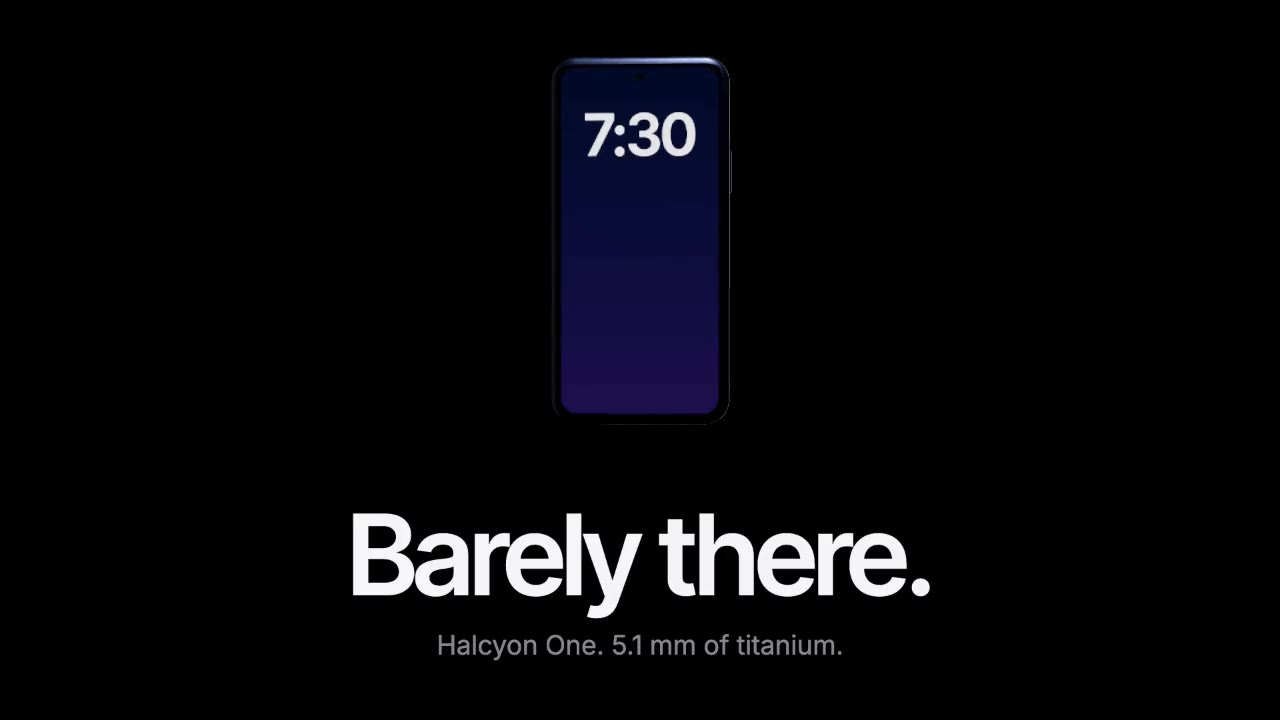
A device built in three.js rises out of total darkness while a softbox reflection glides along its titanium edge, then…

A dark-mode work tool drawn in hairlines and quiet radial glows: issue rows populate, ⌘K opens a command menu, a comman…

Rounded tiles spring into a bento grid on warm paper, each acting out one feature in a small animation, then the tiles…
More like this on the motion design inspiration board: UI animation inspirationSaaS video inspirationData visualization inspirationCode animation inspiration