
AI Prompt to UI
In an AI page builder, a request for a pottery studio's booking page is typed and sent; shimmering placeholders lay out the page, then real copy, an illustration, class cards and a schedule fill in, and a follow-up adds prices.
Written and rendered by AI CSS Animations Oct 19, 2026
- Type
- prompt
- Made with
- Claude Opus 5.5 in Claude Code
- Built in
- HTML/CSS
- Topics
- SaaS promo · Product UI · Landing page · Explainer
About this style
Text-to-interface demos became a standard launch format once AI tools could turn a sentence into a working layout, from 2023 onward. The video usually shows the whole loop in one take: someone types a plain request, the tool shows a loading state, and a finished screen assembles itself piece by piece. Skeleton placeholders, the grey shimmering blocks that stand in for content while it loads, give the wait a shape and let the structure appear before the details. The format works because it compresses hours of design work into seconds while keeping every step legible: the request is readable, the layout lands first, the real content fills the same boxes without anything jumping, and a quick follow-up shows the result can be edited.
The prompt
Make a 10-second AI feature demo in a page builder: a request for a pottery studio's booking page is typed into the chat and sent, shimmering placeholders lay out the page in the preview, then the real copy, illustration, class cards and schedule fill those exact boxes one section at a time, and a short follow-up adds prices before the page is published.

<inputs>
If I don't give you something, use the default and don't ask.
- Builder: Mosswork (fictional), an AI page builder. Project: "Clayhouse · Booking page".
- The request, typed exactly: "A booking page for Clayhouse, a small pottery studio: wheel classes for beginners, a weekly schedule and a sign-up button. Warm and earthy."
- Follow-up: "Add prices to the classes."
- The generated site: Clayhouse (fictional), "POTTERY STUDIO · EST. 2016". Nav: Classes, Schedule, Studio, Gift cards, button "Book a class". Headline "Get your hands in the clay." Subline "Small wheel classes for complete beginners, six students per teacher." Buttons "See the schedule" and "Gift a class".
- Classes (name · when · line · price added later): "Wheel Basics" · 2 hours · Saturdays · "Your first bowl and mug." · $65; "Glaze Lab" · 90 min · Wednesdays · "Dip, brush and layer glazes." · $40; "Four-Week Course" · 4 × 2 hours · Tuesdays · "From centering to a finished set." · $220.
- Schedule, "This week": Tue Four-Week Course 6:00 pm (2 spots left) · Wed Glaze Lab 6:30 pm · Sat Wheel Basics 10:00 am (3 spots left) · Sat Wheel Basics 1:00 pm · Sun Open studio 2:00 pm.
- CTA band: "Bring a friend and your first class is half price." with a "Sign up" button.
- Assistant checklist: Layout, Copy, Illustration, Schedule, Theme, then "Done in 3.4 s · 5 sections"; after the follow-up: "Added prices to 3 classes." Toast: "Published · clayhouse.mosswork.site".
- Length: 10 seconds.
</inputs>

<direction>
- Look: two designs in one frame. The builder is quiet, neutral and precise; the page it generates is warm, characterful and clearly designed, so the viewer sees taste being produced, not just boxes. The build reads as structure first, content second: placeholders that match the final layout exactly, then real content landing in them with no layout shift.
- Builder palette: chrome #FFFFFF, chat panel #F4F3EE, canvas #E8E6E0 with a dot grid of 1.5px #D3D0C7 dots every 24px, ink #121212, secondary #6B6860, borders #DEDBD2, moss accent #2F5D3A (checkmarks, progress, the send button's ready state). Placeholders: base #E4E0D8 with a shimmer highlight #F7F4EE.
- Generated site palette: page #FBF8F3, clay #C8643B (primary buttons, the CTA band), clay deep #A44E2C (pressed and hover), sand #E6C3A5 (the hero arch), brown #3B2A20 (headings and body), muted #6F5F52 (secondary text), sage #8E9E7C (spots-left tags and the leaves in the illustration), card borders #EADFD1.
- Builder layout: top bar y 0–64, white with a bottom border: an original Mosswork mark at (24, 18), three stacked rounded bars in moss of decreasing width, and "Mosswork" in 18px 600; the project name centered in 15px secondary; at the right a "Preview" text button and a "Publish" ink button 104×40. Chat panel x 0–560, y 64–1080. Canvas x 560–1920.
- Composer: a white box 512×136 at (24, 920), radius 16, 1px border, placeholder "Describe a page…" in 17px #A19D94, a round 40px send button at its bottom right (grey until there's text, then moss). The caret is a 2px ink bar that blinks at 1 Hz only while idle.
- Thread: messages stack from y 96. The user's message is a right-aligned bubble (max 440px wide, #121212 fill, white 17px text, radius 18 with a 6px bottom-right corner). The assistant's reply has a 28px moss mark avatar, "Building your page" in 16px 600, and a checklist of five rows (an 18px circle that fills moss with a white check when its section lands, then the label in 15px), then the "Done" line in 14px secondary.
- Preview: a browser-like card 1240×920 at (620, 104), radius 14, shadow 0 24px 60px rgba(18,18,18,0.12), with a 36px top strip holding three 10px grey dots (#D9D6CE) and a centered address pill "clayhouse.mosswork.site" in 13px secondary. The page area starts at (620, 140) and is 1240×884; coordinates below are inside it.
- The page: nav y 0–64 ("Clayhouse" in Young Serif 24px at x 40; links in Work Sans 500 15px from x 640; "Book a class" clay pill 132×40 at x 1068). Hero y 64–364: eyebrow at (40, 104) in Work Sans 600 12px tracked 0.16em, muted; headline on two lines ("Get your hands" / "in the clay.") in Young Serif 56px with 60px line height from y 128; subline 18px muted at y 270, max 520px; buttons at y 316 ("See the schedule" clay 180×44, "Gift a class" outline 140×44). Hero art 460×280 at x 740, y 76: a sand arch (a rectangle with a full semicircle top), a clay pot drawn from two mirrored curves with a darker lip, a brown wheel ellipse under it, two sage leaves on stems at the arch's left, and three short brown motion arcs around the pot.
- Classes y 384–574: "Classes" in Young Serif 30px at y 384; three cards 368×150 at x 40 / 436 / 832, y 424, radius 14, white with #EADFD1 borders: the name in Work Sans 600 19px, the "when" line in 14px muted, the description in 15px, and a reserved price row at the card's bottom right (empty until the follow-up).
- Schedule y 594–784: "This week" in Young Serif 30px; a 7-column grid (Mon–Sun) 1160px wide from x 40, day labels in 13px muted, each session a clay-tinted pill (#F3DDCF fill, brown 14px text) in its day column with its time, and a sage "3 spots left" / "2 spots left" tag where given.
- CTA band y 800–872: full width, clay fill, the line in Work Sans 500 19px #FBF8F3 at x 40, a cream "Sign up" button 120×40 with clay text at the right.
- Type: Bricolage Grotesque 400 / 600 for the builder (body 15–17px); Young Serif 400 for the generated site's headings; Work Sans 400 / 500 / 600 for its body.
- Typing: the request types at about 70 characters per second with human rhythm: a 0.12 s pause after each comma and colon, a 0.2 s pause before "Warm and earthy.", and every glyph appearing whole (no fades). The text wraps inside the composer.
- Placeholders: every content element has a placeholder with its exact final box (text lines as rounded bars at their final widths and line heights, buttons as their pill shapes, the hero art as one rounded block, cards as outlines with inner bars). They appear section by section, top to bottom, 70 ms apart, each fading in over 0.2 s. One shimmer band (a 200px-wide soft diagonal highlight at 20°, #F7F4EE at 70% in its center) sweeps across all visible placeholders at 1,500px per second, a new sweep every 1.2 s. It's a gentle moving sheen, never a flash.
- Content landing: each section's real content crossfades over its placeholder in 0.35 s with a 6px rise on easeOutCubic, while its checklist row ticks in the chat. Colors arrive with the content: placeholders are always neutral, the clay and sand appear only as real content lands. The hero art draws its curves along their length in 0.6 s instead of fading. Nothing on the page moves position when content arrives.
- Premium: a real, appealing generated design with a typographic voice, placeholders that predict the layout exactly, sections landing in reading order, a quiet builder that lets the page be the hero, honest small copy ("Done in 3.4 s"). Cheap: sparkles, glowing orbs, rainbow borders, "AI is thinking…" with bouncing dots, layout shift when content arrives, everything popping at once, a generic gradient hero.
- Banned: real company names, logos and UI copied from existing products; sparkle or magic-wand icons; purple, blue or rainbow gradients; glowing orbs or particles; bouncing loaders; layout shift; lorem ipsum; stock-photo blocks; anything flashing more than 3 times per second.
</direction>

<structure>
- 0.0–0.4s: the builder at rest: the empty thread with "What should we build?" in Bricolage Grotesque 600 28px at (32, 120), the composer with its idle caret, and the empty preview card showing "Your page will appear here" in 15px secondary at its center.
- 0.4–2.35s: the request types into the composer; the send button turns moss at the first character.
- 2.4–2.65s: send (the button dips to 0.92 for 0.08 s); the composer clears and the request rises into the thread as the user bubble (0.25 s, easeOutCubic); the assistant row appears beneath it with "Building your page" and five empty circles.
- 2.65–3.6s: placeholders lay out the page, section by section, and the shimmer starts sweeping; "Your page will appear here" fades out first.
- 3.6–5.8s: real content lands: nav (3.6 s), hero copy and buttons (3.85 s), hero art drawing (4.1–4.7 s), classes (4.6 s, the three cards 90 ms apart), schedule (5.1 s, pills 50 ms apart), CTA band (5.5 s); the checklist ticks Layout (3.6), Copy (3.95), Illustration (4.7), Schedule (5.2) and Theme (5.6); "Done in 3.4 s · 5 sections" appears at 5.75 s and the shimmer stops.
- 5.8–6.3s: the 6.0 s frame is the hero: the finished Clayhouse page fully visible in the preview, the thread with the request, the full checklist and the done line, the composer idle.
- 6.35–6.85s: the follow-up "Add prices to the classes." types into the composer and is sent at 6.9 s, rising into the thread.
- 6.95–7.6s: only the three price rows show placeholders and shimmer (7.0–7.35 s), then the prices land ($65, $40, $220, in Work Sans 600 19px clay) with the same crossfade; the assistant answers "Added prices to 3 classes." with one moss check (7.5 s).
- 7.7–8.4s: the Publish button dips on a click at 7.75 s (no cursor, just the press); the toast "Published · clayhouse.mosswork.site", ink with a moss check, slides down from y 64 to y 84 below the top bar at the right edge (7.85–8.15 s).
- 8.4–10.0s: hold on the published page, the full thread and the toast.
For other lengths, keep the typing speed and the section order, stretch the content landing evenly, and keep at least 1 s of hold.
</structure>

<build>
- One self-contained index.html (inline CSS and JS), a 1920×1080 (16:9) stage scaled to fit the window, designed for 60fps. No image, video, texture or model files: the hero art, icons and logos are inline SVG drawn in code.
- window.seek(t), t in seconds, computes every visual from t alone: no CSS transitions or CSS animations, no setTimeout/setInterval, no state carried between frames, randomness only from a seeded PRNG. Typed text is a pure function of t from a precomputed per-character timeline that includes the pauses; the shimmer's position is (t − start) × speed modulo its period. Past the end, seek clamps to the last frame.
- Without ?render in the URL, drive seek from requestAnimationFrame so it plays in a browser (loop after a 1s end hold); with ?render, don't start that loop.
- Google Fonts via <link> are fine; await document.fonts.load() for each face and weight before defining window.seek, and measure text widths for the placeholders only after the fonts are loaded.
- Engine: plain DOM and CSS, every element absolutely positioned in stage pixels. Build the finished page once at load, measure each element's box and line widths, and generate its placeholder from those measurements, so placeholder and content always match. seek writes inline opacity, transform, text and background-position each frame; the hero art reveals with stroke-dashoffset set from t.
</build>

<check>
Before showing me, step through one frame per second (t = 0…10): screenshot each and look at it. Fix overlaps, clipped or cramped text, and anything off-style or Banned. Check that the typed request is exact and wraps cleanly in the composer, every placeholder sits exactly where its content lands (no layout shift), placeholders are neutral grey with no clay before content, the shimmer is a soft sheen with no flashing, the checklist ticks in step with the sections, and the generated page reads as a real designed site. At 2.0 s the request is mostly typed; at 3.0 s the placeholder layout fills the preview; the 6.0 s frame shows the complete page, the thread and the done line; at 7.5 s the three prices are in; the final frame shows the published toast. Confirm seek(10) and seek(11) match, so the final frame holds.
</check>
Ours, and free to use under CC0: copy it, change it, ship it. No credit needed.
Similar prompts

A slow, ribbon-like gradient mesh flows in a skewed band behind sharp headline type, while white payment, API and chart…
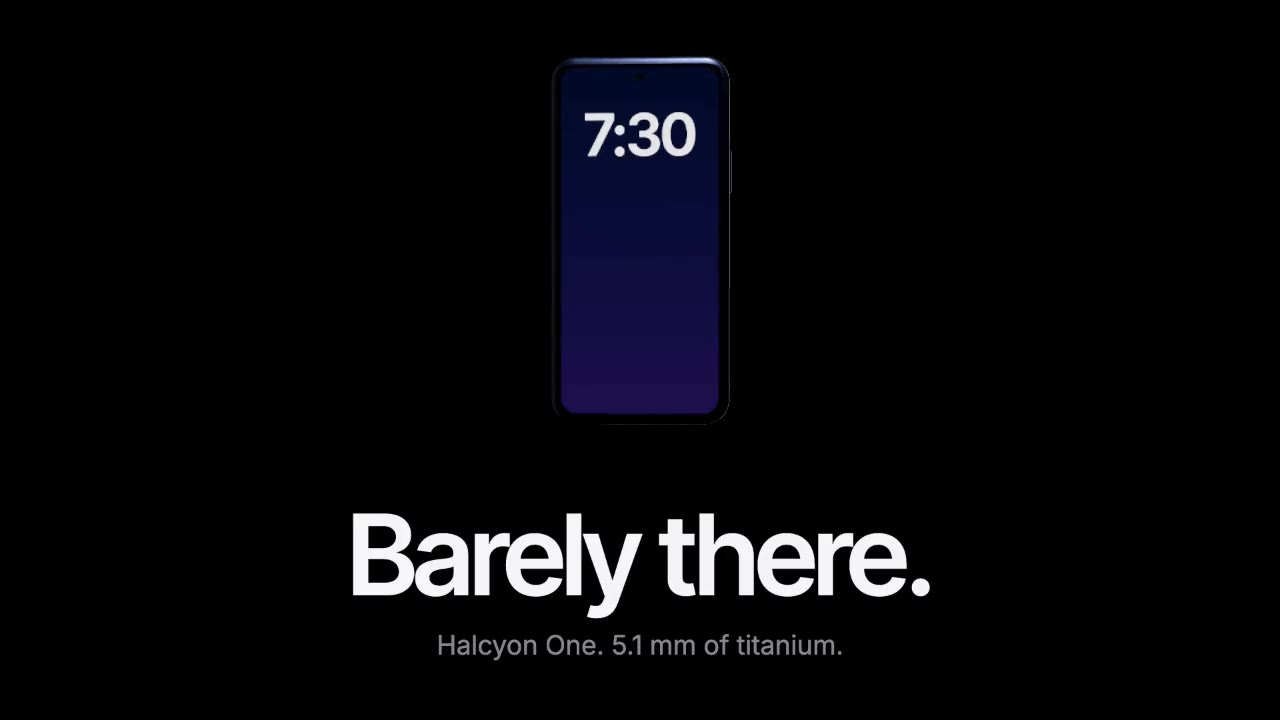
A device built in three.js rises out of total darkness while a softbox reflection glides along its titanium edge, then…

A dark-mode work tool drawn in hairlines and quiet radial glows: issue rows populate, ⌘K opens a command menu, a comman…

Rounded tiles spring into a bento grid on warm paper, each acting out one feature in a small animation, then the tiles…
More like this on the motion design inspiration board: UI animation inspirationSaaS video inspirationExplainer video inspirationLanding page animation inspiration